Revell Millennium Falcon 03600 - 1:241 Scale Light Kit Installation Guide
For the level of detail provided, the Revell 03600 is a great little model of kit and in my opinion a little underated as you can achieve some great results with it. It lends itself very well for adding lighting, and the only real challenge with this one is cramming all of the required components into the small space.
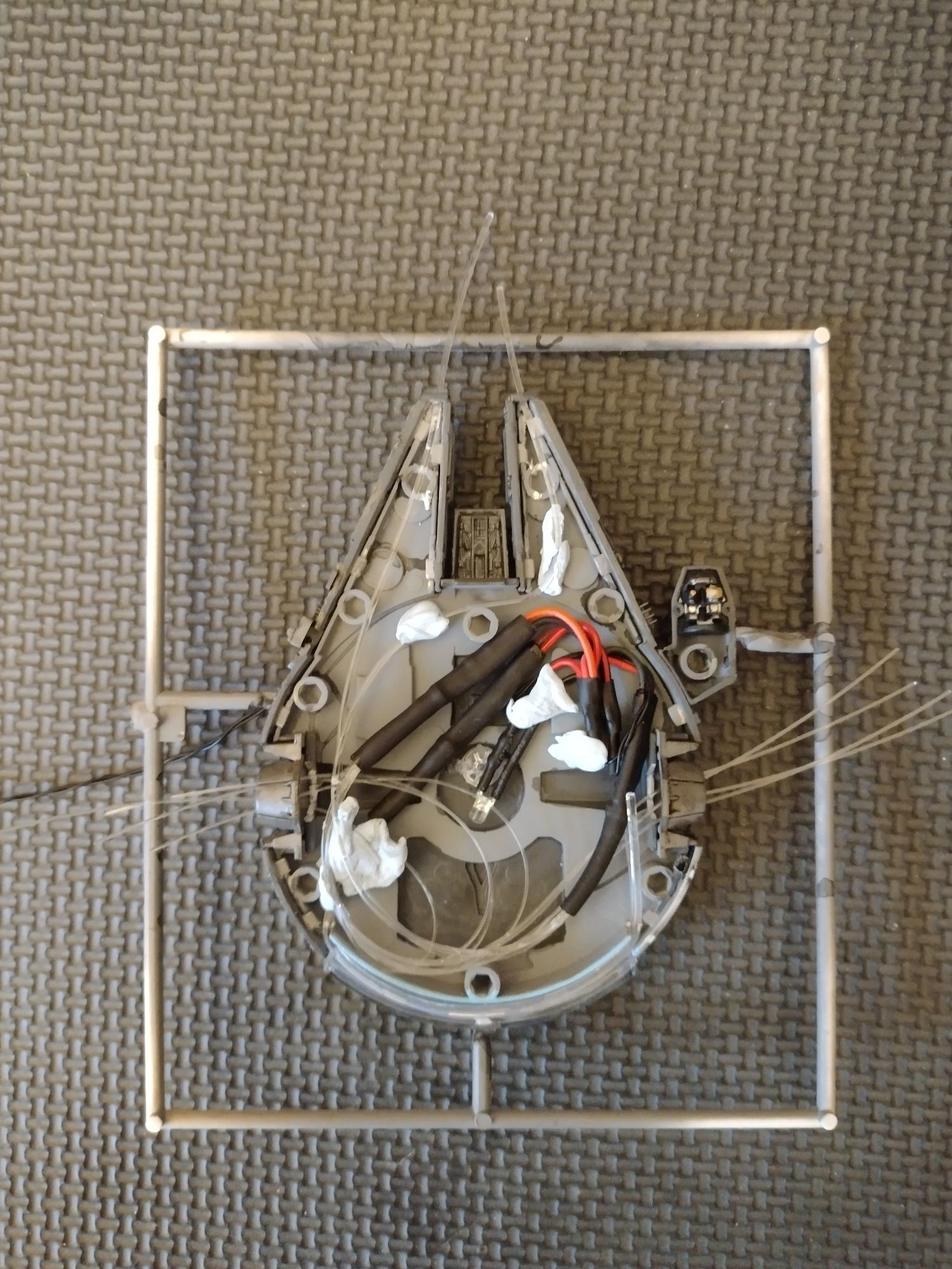
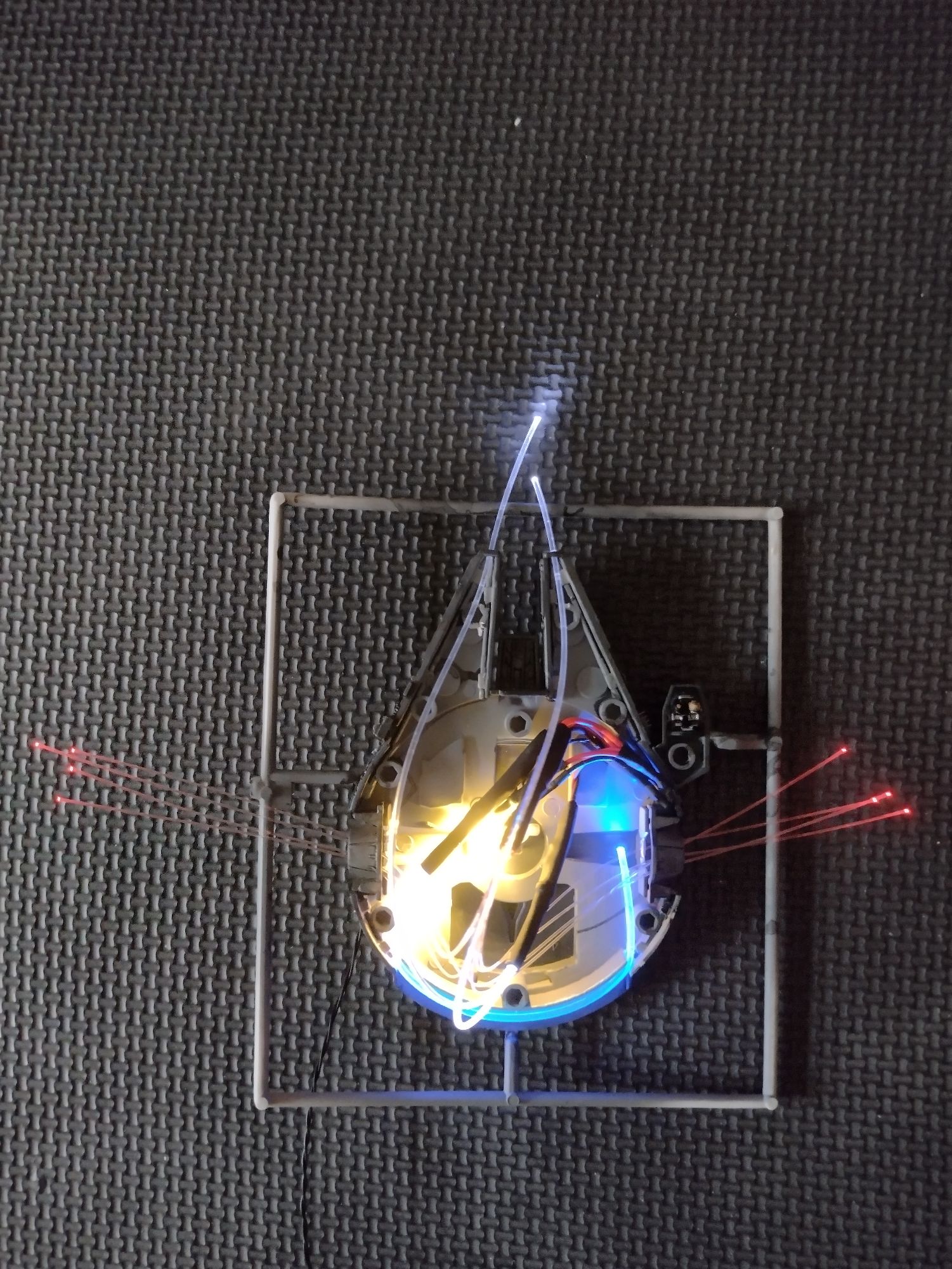
As you can see by the installation guide photo however, this can be done. The only major modifications needed are two 1mm drill holes for the front main running lights, and eight 0.5mm holes on the side ports (four on each side). A 2mm hole for the power lead is also needed, which I add to the rear facing side of where the display stand joins the model.
The warm white led is positioned slightly off-centre in the model, so that it shines through the central sections without glaring directly through the panels.
The 2mm blue fibre optic strands are fitted alongside each other along the sublight drive engine wall. They will fit between the rear wall of the model and the clear plastic strip that's provided with the model kit. To get the best effect from this, especially for when leaving the model unlit, I usually paint the dark grey interior wall of this section sky blue. There's no need to paint the clear section at all.
To make installing all components easier, I tend to feed the fibre optics through and leave them all loose until everything is in place - which gives a bit of wiggle room :) It's useful to use blue tack to hold each section in position while you work on them in turn.
When happy with the position of each lighting component, feed the main power lead through the hole next to the stand, and secure the fibre optic strands on the inside of the model using PVA glue. PVA is the best glue type to use, as it will not damage the strands. At this point, allow the glue to dry fully overnight.
To finish clip the top of the model into place, and using flush cutters, clip each fibre strand leaving it very slightly proud of the surface.
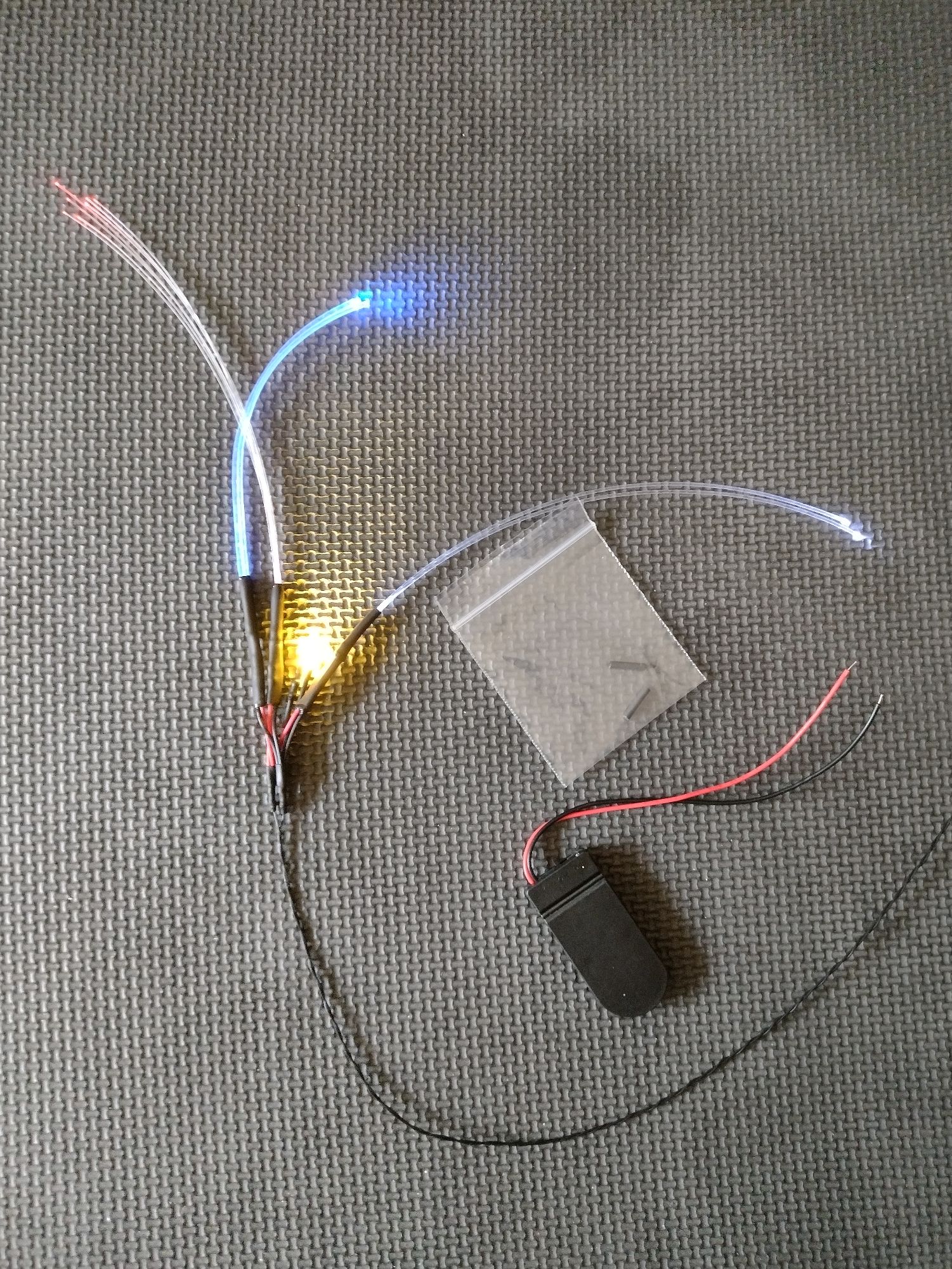
There is extra wire on the power lead section, which can be run into any additional diorama / display base that you may wish to add. Both of the wires on the main power lead are black so that they can be more easily concealed - one of the wires is a positive terminal, the other a negative. To add the battery pack, add the short sections of heatshrink tube to the black and the red wire. Place two CR2032 batteries in the holder (observing the correct polarities) and switch the power switch to on. Twist the power lead wires onto the battery pack wires. Leds are diodes, which only allow the current in a circuit to flow in one direction - if the light kit doesn't light, undo the wires and swap them over. When the set is lit, slide the small sections of heatshrink over the exposed wire joints. This will be secure enough as it is, however you can shrink the sleeves even further if needed by warming them with a hair dryer.